
For electricians

The quoting app for electricians. See the switchboard before you drive out.

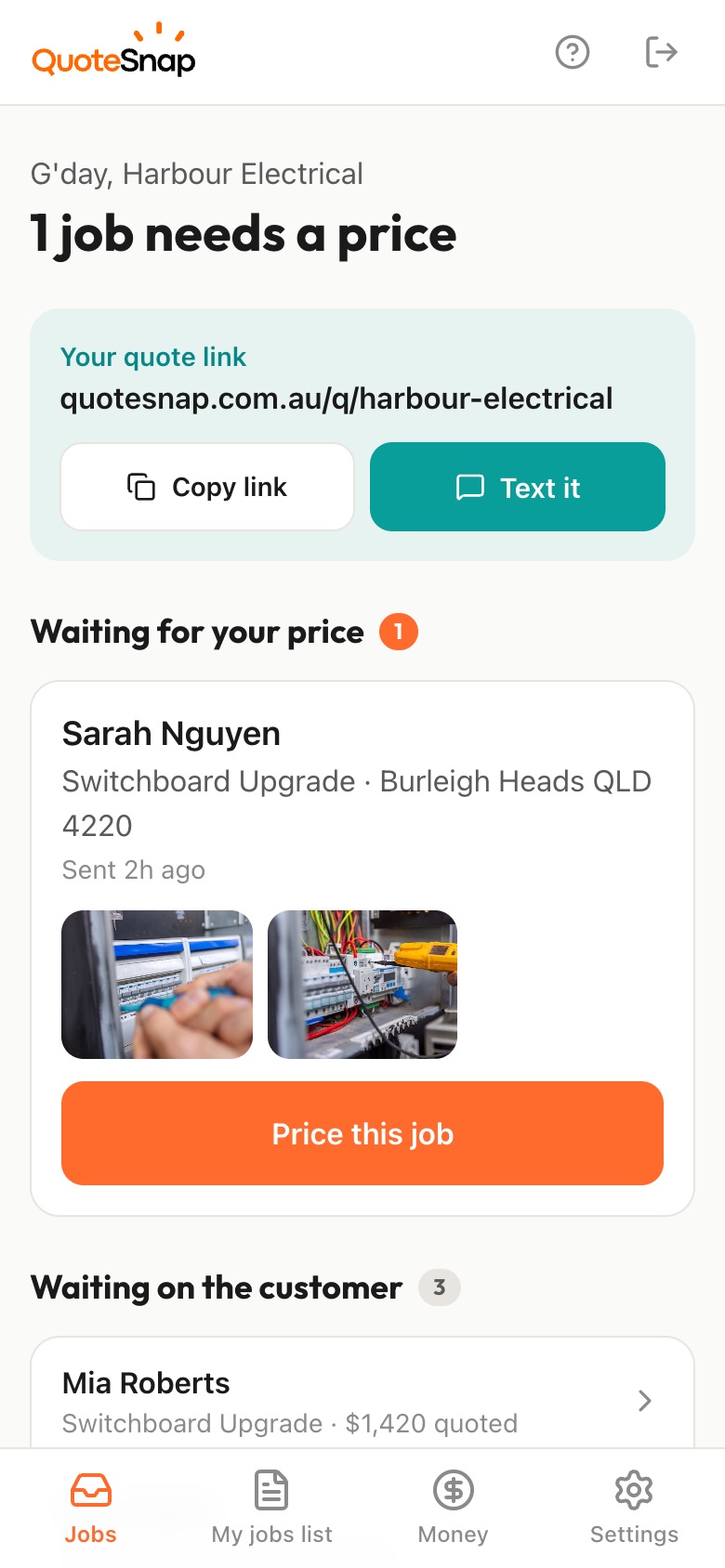
Text your customer one link. They answer your questions and photograph the board, the meter and the job. You price it from your phone and they sign to accept.

7 days free. Cancel any time.

Why electricians quote with a link.

Most electrical enquiries start the same way: a customer who wants a price but cannot tell you what board they have, how far the meter is from the garage, or whether the ceiling has roof access above it. Those details decide the job, and you usually find them out by driving there.

A QuoteSnap link asks for them up front. Your customer taps through the questions you would ask on site and photographs the switchboard open and closed, the meter box and the spot where the work is going. You see the job before you decide whether it needs a visit at all.

Skip the drive-out quote. Your customer shows you the job. You price it from your phone.

  1. 1See the job without driving outText your link. They answer the questions you'd ask on site and snap the photos you need.Drive outLook aroundDrive back
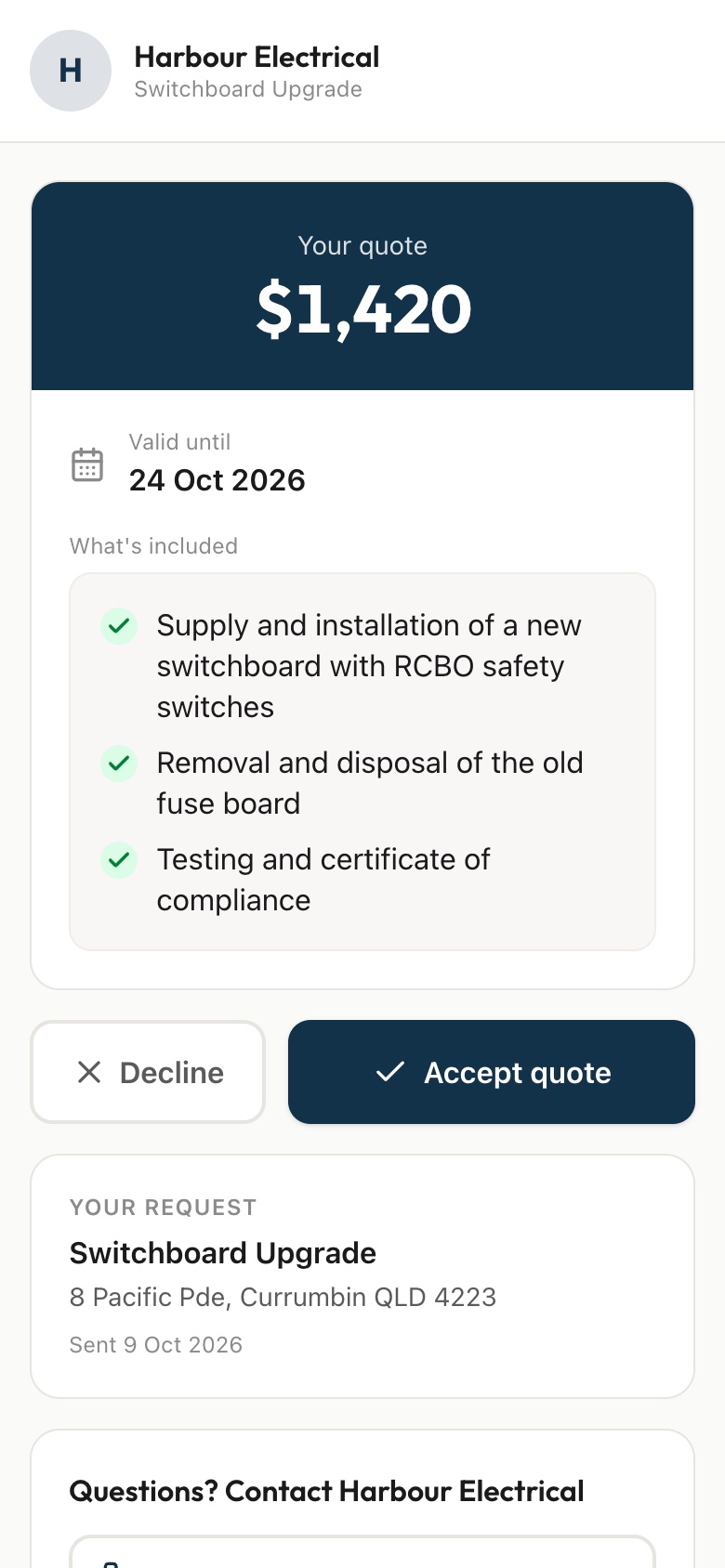
  2. 2Send your quotePrice it from what they sent. They sign to accept.
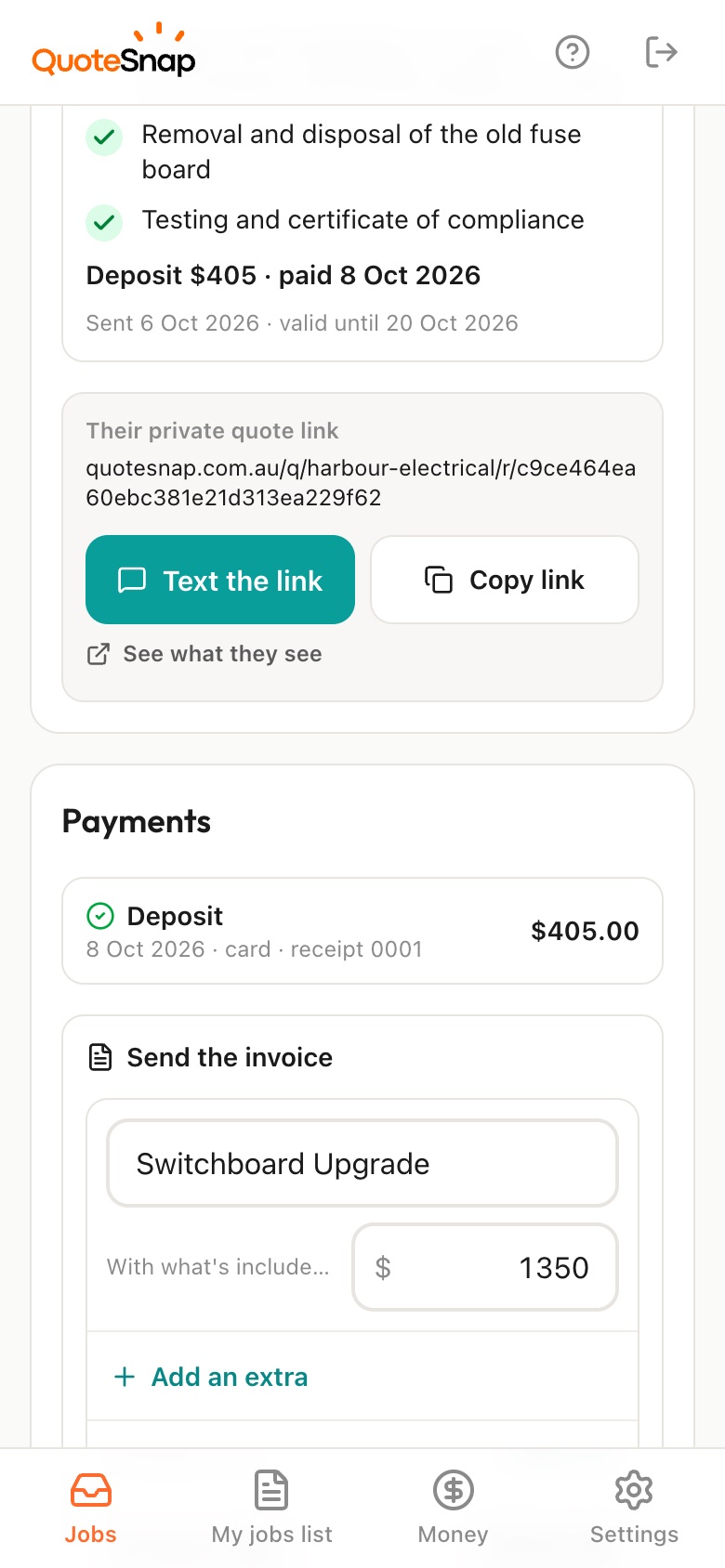
  3. 3Get paidSend the invoice from the job. On Premium they pay by card or bank and it marks itself paid.

4 ready-made forms for electricians. Use them as they are, or change any question.

Switchboard Upgrade

It asks things like

  • What's the main reason for the upgrade?
  • Which areas are affected by tripping?
  • Roughly how old is your property?

Photos it asks for

  • Switchboard (closed)
  • Switchboard (open)
  • Meter box

Power Points

It asks things like

  • What do you need?
  • How many power points?
  • Where in the home?

Photos it asks for

  • Installation location
  • Nearest existing power point

Ceiling Fan Installation

It asks things like

  • What do you need?
  • What's currently on the ceiling?
  • How high is the ceiling?

Photos it asks for

  • Ceiling location
  • Light switch
  • Fan (if purchased)

EV Charger Installation

It asks things like

  • What type of charger?
  • What electric vehicle do you have (or plan to get)?
  • Where will the charger be installed?

Photos it asks for

  • Installation location
  • Switchboard
  • Cable path

Nearly every question is a tap, not typing. Quoting a different job? Type the job name and AI writes the questions and photo requests for you to check.

Want the quote itself laid out? Get the free electrical quote template.

Every question and photo, form by form

Switchboard Upgrade
  1. What's the main reason for the upgrade?Old fuse box needs replacing / Adding safety switch (RCD) / Need more circuits / Tripping frequently / Selling/renovating property / Other
  2. Which areas are affected by tripping?Kitchen / Bathroom / Laundry / Living areas / Whole house / Multiple areas
  3. Roughly how old is your property?0-10 years / 10-30 years / 30-50 years / 50+ years / Not sure
  4. What type of switchboard do you currently have?Ceramic fuses / Circuit breakers / Mix of both / Not sure
  5. How many storeys is your home?Single storey / Double storey / Three or more / Apartment
  6. Any access issues to the switchboard?Easy access / In garage / Behind furniture / Outside / High up / Other
  7. Do you need any additional electrical work?Just the switchboard / New power points / New lighting / Ceiling fan install / Other electrical work
  • Switchboard (closed)Take a photo of your switchboard with the cover on, showing its location
  • Switchboard (open)Open the switchboard cover and take a clear photo of all switches/fuses. Make sure labels are visible.
  • Meter boxTake a photo of your electricity meter if it's separate from the switchboard
Power Points
  1. What do you need?New power point / Replace existing / Relocate power point / Add USB outlets / Outdoor power point
  2. How many power points?1 / 2-3 / 4-5 / 6+
  3. Where in the home?Kitchen / Living room / Bedroom / Bathroom / Garage / Outdoor / Multiple rooms
  4. What type of walls?Plasterboard/Gyprock / Brick / Concrete / Timber / Not sure
  5. Is there ceiling/roof access above this area?Yes, manhole access / No ceiling access / Not sure
  • Installation locationPhoto of the wall where you want the power point installed
  • Nearest existing power pointPhoto of the closest existing power point to the new location
Ceiling Fan Installation
  1. What do you need?Install new fan (I have the fan) / Install new fan (need fan supplied) / Replace existing fan / Add light kit to existing fan
  2. What's currently on the ceiling?Light fitting / Nothing (blank plate) / Old fan / Nothing at all
  3. How high is the ceiling?Standard (2.4-2.7m) / High (2.7-3.5m) / Very high (3.5m+) / Raked/sloped ceiling
  4. How do you want to control the fan?Wall switch / Remote control / Both / Use existing switch
  5. How many fans?1 / 2 / 3 / 4+
  • Ceiling locationPhoto of the ceiling where the fan will be installed
  • Light switchPhoto of the existing light switch for this room
  • Fan (if purchased)Photo of the fan box/model if you already have one
EV Charger Installation
  1. What type of charger?I have a charger to install / Need charger supplied and installed / Just want advice on options
  2. What electric vehicle do you have (or plan to get)?
  3. Where will the charger be installed?Garage (internal wall) / Garage (external wall) / Carport / Driveway/outdoor / Other
  4. How far is the install location from your switchboard?Less than 5m / 5-15m / 15-30m / More than 30m / Not sure
  5. Do you have solar panels?Yes / No / Planning to get solar
  • Installation locationPhoto of where you want the charger mounted
  • SwitchboardPhoto of your current switchboard (open, showing circuits)
  • Cable pathPhoto showing the path from switchboard to install location

AI does the reading. You set the price.

  • Checks every photoIf a photo is blurry, too dark or not of the job, your customer is asked to retake it before they send.
  • Sums up the jobA short summary on top of each request: what's in the photos, its condition, and anything to check, like access or safety.
  • Drafts a price on PremiumFrom the photos, the answers and your past quotes. You check it and set the final price.
  • Nothing goes out without youEvery quote is yours to change before you send it.

Built for the jobs you quote.

  • Switchboard upgrades
  • Power point installation
  • Lighting installation
  • Safety switch installation
  • Ceiling fan installation
  • EV charger installation

Questions electricians ask.

Can I quote a switchboard upgrade from photos?

The switchboard form asks what you would check on site: why they want the upgrade, how old the home is, what board they have now and any access issues. It asks for photos of the board closed and open, and the meter box. You decide if that is enough to price it, or if you still want a look first.

What if my customer does not know what switchboard they have?

They can pick Not sure. The form also asks for a photo of the board with the cover open, so you can see what is there either way. If that photo is too dark or blurry to read, your customer is asked to retake it before they send.

Which electrical jobs have ready-made forms?

Switchboard upgrades, power points, ceiling fans and EV chargers. For any other job, such as lighting or safety switches, type the job name and AI writes the questions and photo requests for you to check.

Can I quote an EV charger install without seeing the cable run?

The EV charger form asks where the charger will go, how far that is from the switchboard and whether there is solar, and asks for a photo of the cable path as well as the board. That shows you the run before you price it. Long or awkward runs are a call you make.

Can I change the questions and photos it asks for?

Yes. Every form is yours to edit: change any question, add your own photo requests or reorder the steps. Add the photo you always end up asking for anyway.

How do I send the quote?

Price it on your phone and send it by text or email, with a list of what is included. Your customer opens it on the same link and signs to accept. On Premium you can ask for a deposit when they accept.

Does it replace my job management software?

No. QuoteSnap handles the bit before the job: the enquiry, the photos and the quote. Once they accept, keep running the job in whatever you use now.

Does my customer need to download an app?

No. Your link opens in any phone browser. They tap through the questions, take the photos and send it.

How much does QuoteSnap cost?

Every plan starts with 7 days free. After that it's $4.99 a month for Basic or $8.99 a month for Premium, including GST. Cancel any time from your settings.

Guides for electricians.

Send your next quote link today.

Pick a form, copy your link, and send it to your next enquiry. Cancel before day 7 and you won't be charged.